
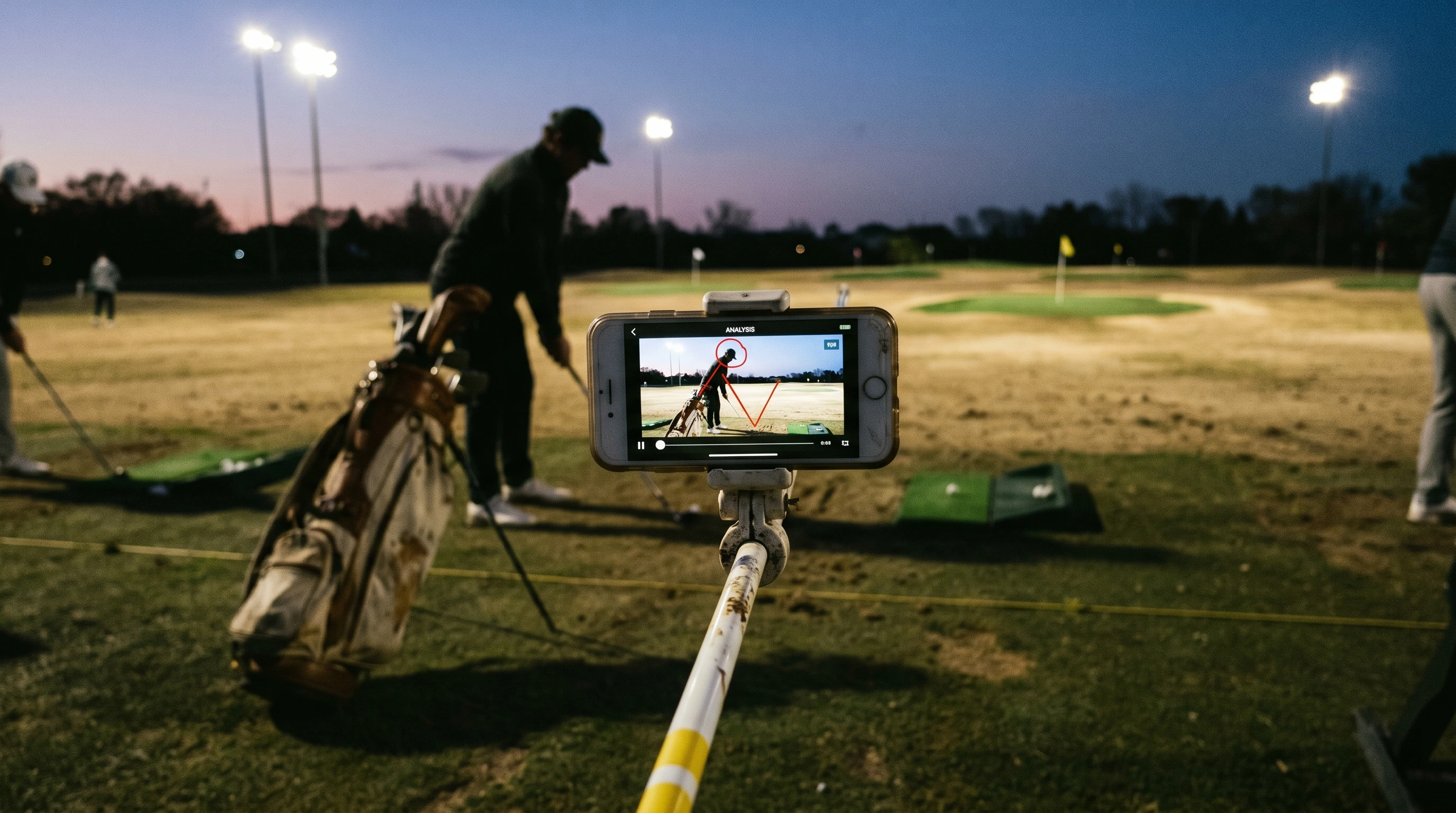
You go looking for a golf swing analysis app and the ads hit you fast. AI coaching, 3D models, instant fixes, pro-level breakdowns in your pocket. Every app is the best one, somehow. You end up confused, and you still have not looked at a single swing.
Let me cut through it. A swing analysis app does one useful thing. It lets you see your swing clearly, slowed down and frame by frame, so you can spot your real fault. That is it. The rest is mostly noise, and the good news is that the part that matters is cheap or free.
This is raw golf. Here is the honest take on which apps are worth your time, and which features you can ignore.
What a Swing Analysis App Actually Does for You
A swing-analysis app turns phone video into something you can inspect: slow motion, frame stepping, drawing tools, and comparison. It can show a fault; it cannot do the practice that changes it.
Source note: Feature summary and limitations drawn from the products described on this page; app plans and feature sets can change.
Here is the honest part. The app does not fix your swing. It shows you the problem. The work still happens at the range, slow and a little boring, the same as always. No app changes that. Any app that promises an instant fix is selling you something.
So you do not need the fanciest tool. You need a clear video and the patience to use it. Most players need far less app than the ads suggest.
The Features That Actually Matter
Apps list twenty features. Four of them matter for a normal player. Look for these and ignore the rest.
- Frame-by-frame playback. You must be able to step through your swing one frame at a time. This is the core feature. Without it, the app is useless.
- Slow motion. A high frame rate means a smoother, clearer breakdown of fast moves.
- Drawing tools. Lines and circles let you check your positions, like your swing plane or spine angle.
- Side-by-side comparison. Playing your swing next to another helps you see the difference, not just guess at it.
That is your checklist. AI wireframes, 3D models, and cloud libraries are nice extras, but they do not make you better on their own. Do not pay for them until you have used the basics for a while.
The Honest Shortlist of Golf Swing Analysis Apps
Start free. Spend money only when a free tool actually limits you. Here is the order I would go in.
Start free: your phone, Kinovea, or Swing Profile
Before any paid app, try the free route.
Your phone's own player lets you scrub through a video by dragging the timeline slowly. It is rough, but it costs nothing and works for a quick look.
For a real free tool, Kinovea is hard to beat. It is free, open-source software for video motion analysis, with frame-by-frame playback, slow motion, and measurement tools for angles and lines. Kinovea is completely free with no feature limitations or subscriptions, and includes side-by-side comparison and annotation tools. The catch is that it runs on a computer, not your phone, so you transfer your video over first.
If you want auto-capture on your phone for free, Swing Profile is worth a look. It is known as a solid free auto-capture app that detects and records your swing.
For most players, a free tool is enough for months. Do not skip this step.
Step up: V1 Golf
When you want a smoother phone experience, V1 Golf is the long-standing pick. It is one of the best-known video analysis apps in golf, built around recording, replay, model swing comparisons, ball tracing, and side-by-side analysis, and it works on both iPhone and Android. It enables side-by-side video comparison, annotations, and voice-over coaching. If you want to compare your swing to a better one and draw lines easily, it does the job well.
For serious users and coaches: Onform
Onform, which used to be called Hudl Technique, leans toward coaches and players making big changes. It records and auto-captures your swing, with strong slow-motion and frame-by-frame control, drawing tools, side-by-side comparison, and voice-over feedback, and it runs on iPhone, Android, and the web. Its frame-by-frame playback is a standout. One honest note: unlike the others, Onform is mostly a paid subscription now. You get a free trial to test it, but there is no lasting free tier, so treat it as a tool you grow into once you are serious or working with a coach. Some players are also less keen on its wireframe feature.
A note on launch monitors and sensors
You will also see hardware like radar launch monitors and club sensors. Those measure ball and club data, which is a different thing from video analysis. They are powerful and pricey, and a normal player does not need one to spot a slice on video. Park that idea until your basics are solid.
How to Actually Use One Without Wasting Money or Time
Picking the app is the easy part. Using it well is where people slip.
- Use the free version first. Push it until it genuinely limits you. Most players never hit that wall.
- Learn two buttons. The frame-step button and the draw tool. That is enough to find your main fault.
- Film once a month, not every shot. Your swing changes slowly, so check it slowly. Filming every swing turns practice into a phone session.
- Find one fault, then close the app. Take that single fault to the range and work it. Do not hunt for ten problems at once.
- The app is a mirror, not a coach. It shows you the truth. What you do with one truth at a time is what lowers your scores.
What This Looks Like in Real Life
Let me make it concrete.
Your first month: You download a free app, or just use Kinovea on your laptop. You film one swing down the line and one face on, once a week. You learn the frame-step button and the line tool. You spend zero dollars and you already see your over the top move clearly.
Your decision point: After a month, the free app starts to annoy you. It will not store your old swings, or the capture is clunky. Now, and only now, you try V1 Golf or pay for an upgrade. You spend money because a real limit pushed you, not because an ad did.
Your practice: You scrub to the frame where your hands reach hip height, see the club thrown out over the top, and close the app. You go to the range with one job, drop the club behind you. You do not film again that day.
Sharing it online: You post the frame that shows your fault and write what you found, free app and all. People trust that far more than a sponsored review, because they are drowning in the same app ads you were. A raw golf feed that shows the honest tool and the real fault means something a hype reel never will.
"You do not owe anyone a pro-level setup. You owe yourself a clear look at your own swing."
Your One Small Step
Here is the truth about golf swing analysis apps. The best one is the one you actually use, and the cheap or free options do the core job just fine. The fancy features look great in ads and change almost nothing for a normal player. The work is still yours to do at the range.
What a good app gives you is a clear mirror, and the end of guessing.
So try one small step before you spend a cent. Download a free swing app, or open Kinovea, and break down one swing frame by frame this week. Find your single biggest fault. If a free tool ever truly limits you, then go pay for more.
Do that, and you are already using a golf swing analysis app the raw way. Once you have a few rounds, track repeated miss patterns instead of judging the one swing you happened to film.